Supplier documents arrive by email.
Someone has to collect them, check tax and bank details, and ask for anything missing.
Suppliers & orders
Source overviewRegistration, checks, RFQs and supplier collaboration.Supplier registrationGST, PAN, bank and MSME verification.Supplier portalOrders, GRNs, invoices and payment status.Quotes & auctionsRun RFQs and auctions, compare quotations.Procure overviewRequisitions, PR and PO approvals, agreed prices.Purchase requests & ordersCheck budgets and route POs for approval.Contracts & agreed ratesAnnual Rate Contracts and blanket POs.Stock & reorder suggestionsSAP stock against reorder points.Deliveries & bills
Receive overviewOne vehicle record from gate to GRN.Gate entry & goods receiptWeighbridge and unloading at the plant gate.Item labels & traceabilityBarcode and QR labels tied to the receipt.Pay overviewAI capture, matching and held invoices.Invoice capture & matchingAI capture, PO/GRN matching and held invoices.Data & connections
Spend & supplier reportsSpend, sourcing progress and supplier history.Master dataEntry-time rules for vendor and material data.SAP & other ERP connectionsECC, S/4HANA Private and Public Cloud.Mobile app & WhatsAppAndroid, iOS and the web.Read-only AI access (MCP)32 governed read-only tools.Security & permissionsEncryption, roles and governed AI.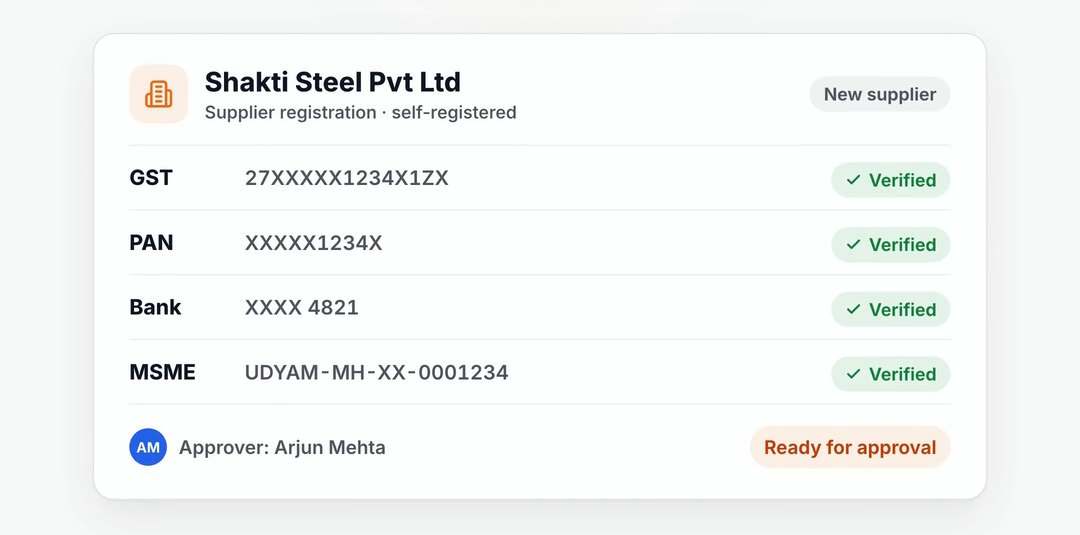 From supplier registration to checking the bill.Explore every SupplierX workflow on one page.See all features
Ask, check & prepare
AeonX iQ assistantThe assistant in-app and on WhatsApp.Gate-Match agentInvoice-to-PO matching at entry, in shadow mode.Accounts payable agentPrepares proposals for your team to review.Follow up & improve
Supplier communicationOutreach, PO follow-up and inbox replies.Service Desk & master dataMaster-data requests handled in SupplierX.NegotiationEvery round recorded for the buyer to review.Your controls
How the Trust Dial worksHow far should each procurement agent go?AI usage & pricingMetered AIU, budgets and caps.By procurement need
Supplier registrationSelf-registration with verification.GST, PAN & bank checksTax, bank and business registration checks.Purchase requests & approvalsFollow requests through your approval rules.Gate entry & truck weighingVehicle, weighing and goods receipt.Order, delivery & invoice checksCompare the order, receipt and invoice.Invoice controls for SAPHold differences before ERP booking.By industry
Mining & mineralsOnboarding to invoice matching.Projects & constructionARCs, site receipts and invoice matching.Retail & textilesPortal RFQs, contract rates and matching.Consumer goodsGate entry to GRN, then the invoice.Paper manufacturingGate readings, receipts and invoice checks.Heavy electricalsQualify suppliers and compare quotations.By team
Procurement teamsSupplier coordination, quotes and approvals.Finance & accounts payableInvoice matching and held differences.Gate & stores teamsVehicle entry, weighing and goods receipt.Business leadersSpend visibility and supplier reporting.SAP & IT teamsERP connections and access controls. “SupplierX helped us automate supplier onboarding and improve efficiency.”Manish Nagda, DGM, Central Purchase Team, Ashapura Minechem LimitedRead the Ashapura story
Buying guides
Supplier portal checklistWhat should suppliers be able to see and submit?Three-way matching explainedWhat should agree before an invoice moves forward?Annual Rate ContractsWhen should a buyer use an agreed rate?Connecting procurement to SAPFive questions for your SAP team.More guidance
From gate entry to GRNWhat belongs on the vehicle record?Vendor onboarding in IndiaWhat should be verified before approval?Watch, estimate & talk
Product videosOfficial SupplierX walkthroughs.Savings calculatorEstimate manual effort and potential savings.Contact the teamSales, support and security contacts.Plan your demoPlan the walkthrough around your ERP.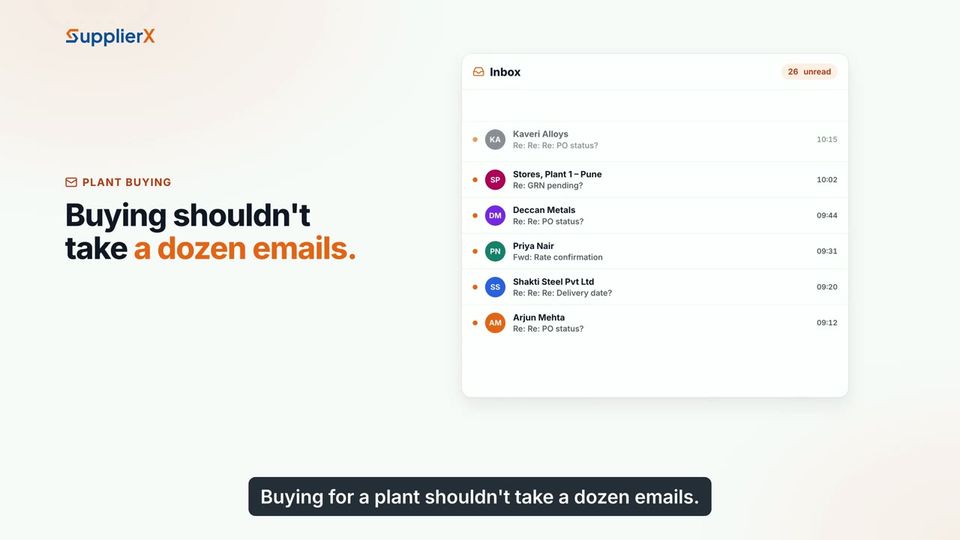 Practical guides, videos and answers before your demo.Browse all guides
SupplierX connects suppliers, orders, approvals and invoice checks with your ERP. AI helps with follow-ups, so your team knows what needs attention.
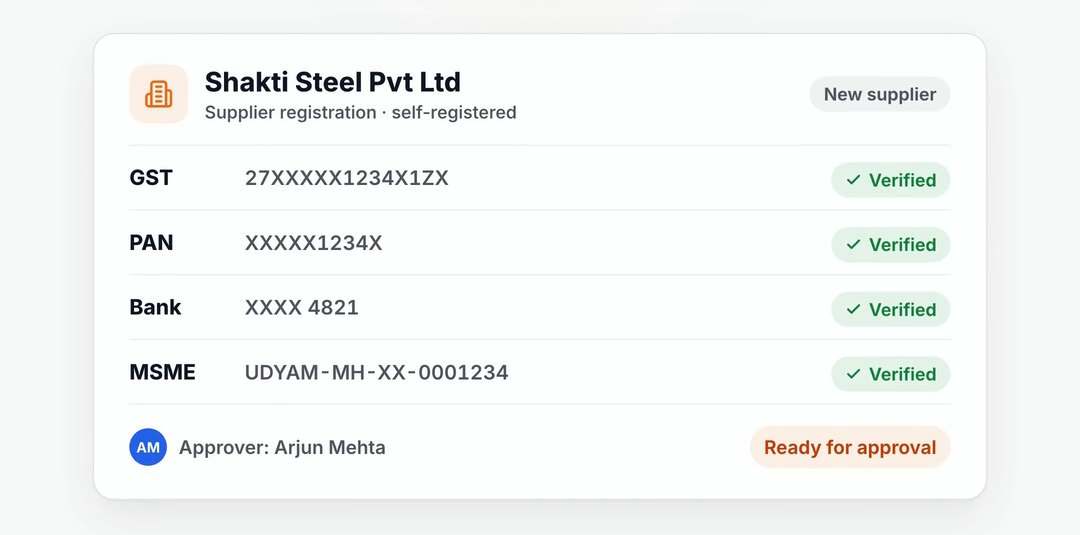
Collect supplier details and review verification results before approval.
Good afternoon, Priya
Teams that use SupplierX · Meet our customers →







Buying for a company takes more than placing an order. Here is where the manual work builds up.
Someone has to collect them, check tax and bank details, and ask for anything missing.
Finance compares the purchase order, the delivery record and the bill. Differences mean another round of follow-ups.
Delayed deliveries, missing documents and unanswered quotes wait for someone to call or email.
Buying goods and services for a company is called procurement. SupplierX keeps the people, documents and approvals together at each stage.
Invite suppliers to register and upload documents in the supplier portal. Review their details and compare quotes or run an online auction before choosing who to buy from.
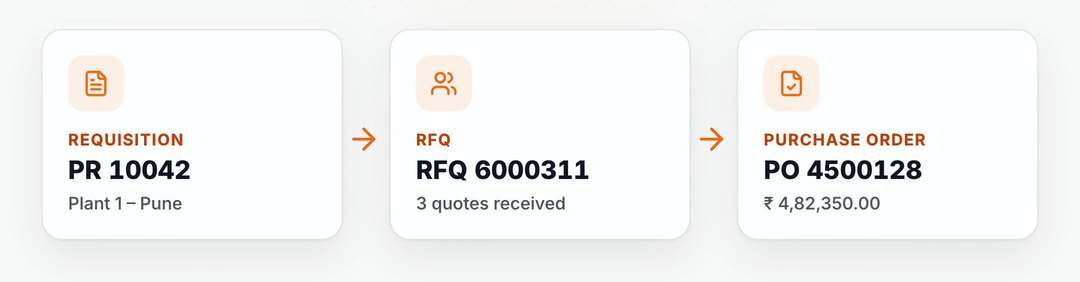
Create a purchase request and send it for approval. Turn approved requests into orders, with the prices and terms you agreed.
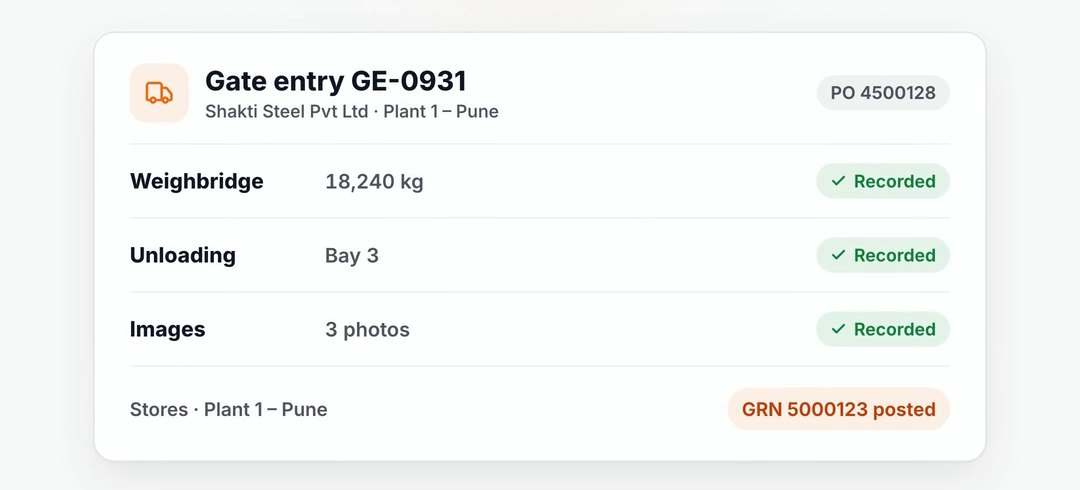
Record gate entries, truck weights and goods received at your factory. Check the delivery against the order and note anything still due.
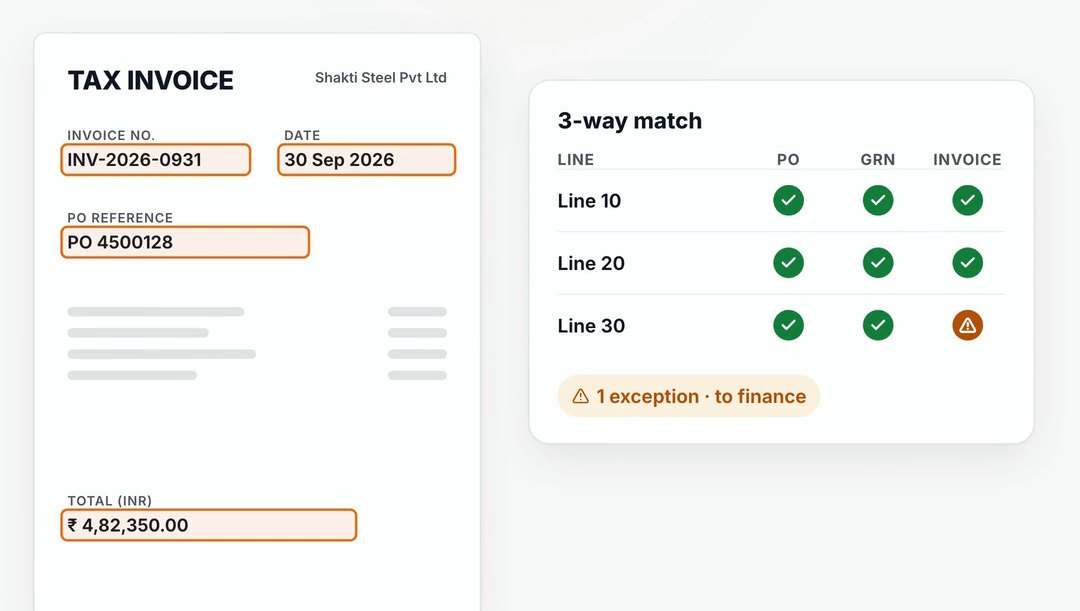
An invoice is the supplier’s bill. SupplierX reads its details and compares them with the order and delivery record. Finance reviews any differences. Payments are completed in your existing system.
AeonX iQ is the AI assistant inside SupplierX. It reads your purchasing records to answer questions. Other AI agents check documents, flag problems and prepare work for your team to review.
Explore the AI agentsAsk about an order, a pending approval or a supplier’s history. Get answers from your company’s records.
Explore AeonX iQDraft reminders for missing documents or delayed orders. Get help with price discussions. Your buyer decides who gets the order.
See supplier follow-upsEach AI agent has a Trust Dial from L1 to L5. It starts by suggesting work. Only your team can change its limits, and you can switch it off at any time.
Understand the Trust DialThe Gate-Match agent checks the invoice against the order. The accounts payable agent prepares proposals for review. Neither posts to SAP, and the accounts payable agent cannot approve payments.
See payment proposalsCollect documents in the supplier portal. Let SupplierX compare orders, delivery records and bills, so your team can focus on the differences.
Explore the platformVerify GST and PAN tax IDs, bank details and MSME business registration. Capture e-invoice details with the bill.
See supplier checksUse the Android or iPhone app to approve purchase requests, compare quotes and check invoices away from your desk.
See the mobile appFollow a purchase through SupplierX in this short product tour.
In use at Ashapura Minechem.
“SupplierX helped us automate supplier onboarding and improve efficiency.”
Ashapura uses SupplierX to work with its suppliers. Buyers and suppliers can follow orders, deliveries and bills in the same system.
Read their story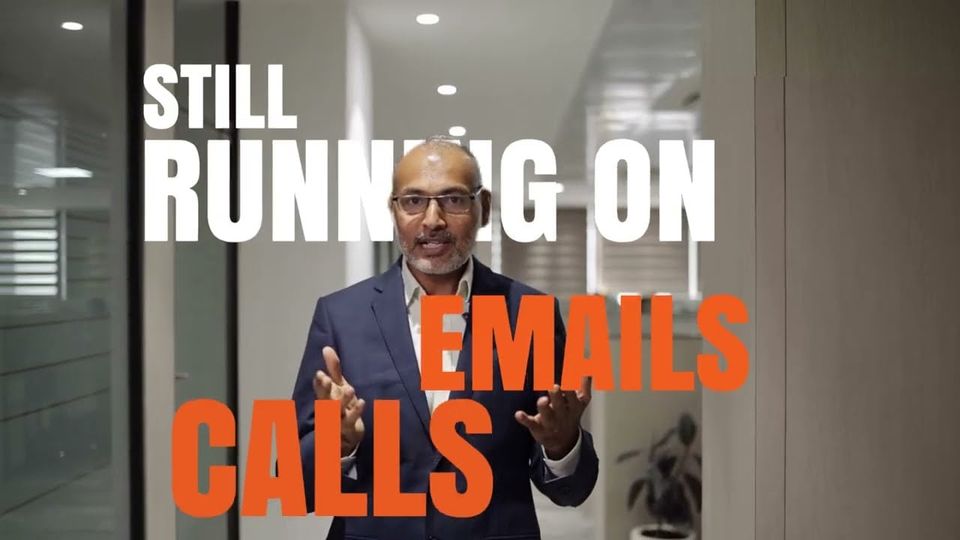
SAP is the software many large companies use to run their business. SupplierX connects supplier details, orders, deliveries and bills with SAP. It can connect to other business systems too, with the connection agreed during setup.
Built by AeonX Digital


These are AeonX Digital company credentials.

View the SupplierX listing, sold by AeonX Digital.
Enter a few details about your team to see an estimate. It is a planning tool, not a quote or a promise of savings.
Possible savings per year · estimate
₹7,00,500This is a planning estimate, not a quote or a promise of savings. Actual results may differ.
SupplierX is an online platform for company purchasing, also called procurement. It brings supplier registration, purchase orders, delivery records and invoice checks together.
Yes. You invite suppliers to fill in their details and upload documents. Your team reviews the information before approving them.
SupplierX connects with SAP and other business systems. Tell the team what you use, and they will explain the connection you need.
Your team sets the limits for each AI agent using the Trust Dial. The Gate-Match and accounts payable agents prepare work for review and never post to SAP. The accounts payable agent cannot approve payments.
People see and do what their role allows. SupplierX protects data with encryption and keeps records of activity. Ask the team to show you the security controls.
The price depends on the features you choose, the number of suppliers and the systems you connect. Ask for a quote for your team. A free trial is available on request.
The team shows you SupplierX in a 30-minute call. You can ask to see supplier registration, orders, deliveries or bill checks using sample data.
See how suppliers, orders, deliveries and bills come together.
Book a 30-minute demo around your team’s work.
We use cookies to measure how this site is used and, if you allow it, to improve our marketing. Analytics and marketing cookies stay off until you choose. Cookie policy