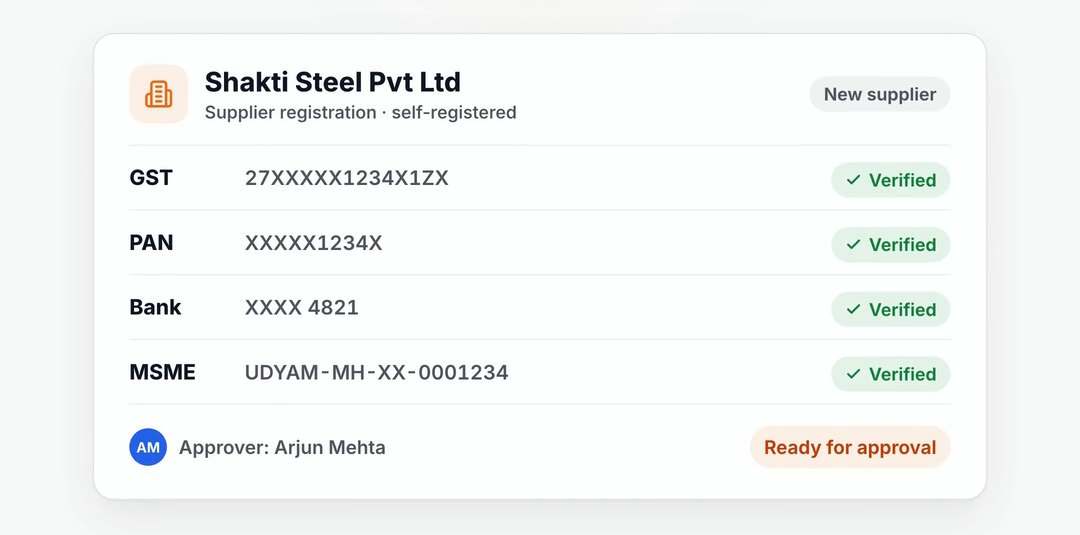


Register suppliers. Review one complete record.

Suppliers enter their own information and upload documents in the portal. Your team reviews the verification results before approving them.

Let suppliers complete the record

Invite a supplier or let them register on the web portal. They enter their own details and upload documents, so buyers can review the submission instead of retyping email attachments.

  • Supplier self-registration
  • Company, tax and bank details
  • Document upload on the portal

Verify before the approval

GST, PAN, bank account and MSME checks run during onboarding. The result sits with the record your team is asked to approve.

  • GST verification
  • PAN verification
  • Bank account verification
  • MSME registration verification

Give approved suppliers a way to work with you

After approval, suppliers can quote on RFQs and follow their orders, receipts, invoices, payment status and contracts. Questions stay beside the document.

  • One onboarding approval workflow
  • Portal access to procurement records
  • Messaging with your buyers

Useful answers.

Who approves a supplier?

Your designated approvers review the verified record through the onboarding workflow.

Does the supplier need an app?

No. Suppliers register and work through the web-based supplier portal.

See your process on SupplierX.

A 30-minute walkthrough around your ERP landscape, the documents your team handles and the stage you want to improve first.

Demo data. Your workflow. Clear next steps.