Track requests in one place
Master-data requests are raised, tracked and handled in SupplierX. Give the team a shared place to follow the request rather than a separate email chain.
- Master-data requests
- Request tracking
- Data quality checks
Suppliers & orders
Source overviewRegistration, checks, RFQs and supplier collaboration.Supplier registrationGST, PAN, bank and MSME verification.Supplier portalOrders, GRNs, invoices and payment status.Quotes & auctionsRun RFQs and auctions, compare quotations.Procure overviewRequisitions, PR and PO approvals, agreed prices.Purchase requests & ordersCheck budgets and route POs for approval.Contracts & agreed ratesAnnual Rate Contracts and blanket POs.Stock & reorder suggestionsSAP stock against reorder points.Deliveries & bills
Receive overviewOne vehicle record from gate to GRN.Gate entry & goods receiptWeighbridge and unloading at the plant gate.Item labels & traceabilityBarcode and QR labels tied to the receipt.Pay overviewAI capture, matching and held invoices.Invoice capture & matchingAI capture, PO/GRN matching and held invoices.Data & connections
Spend & supplier reportsSpend, sourcing progress and supplier history.Master dataEntry-time rules for vendor and material data.SAP & other ERP connectionsECC, S/4HANA Private and Public Cloud.Mobile app & WhatsAppAndroid, iOS and the web.Read-only AI access (MCP)32 governed read-only tools.Security & permissionsEncryption, roles and governed AI.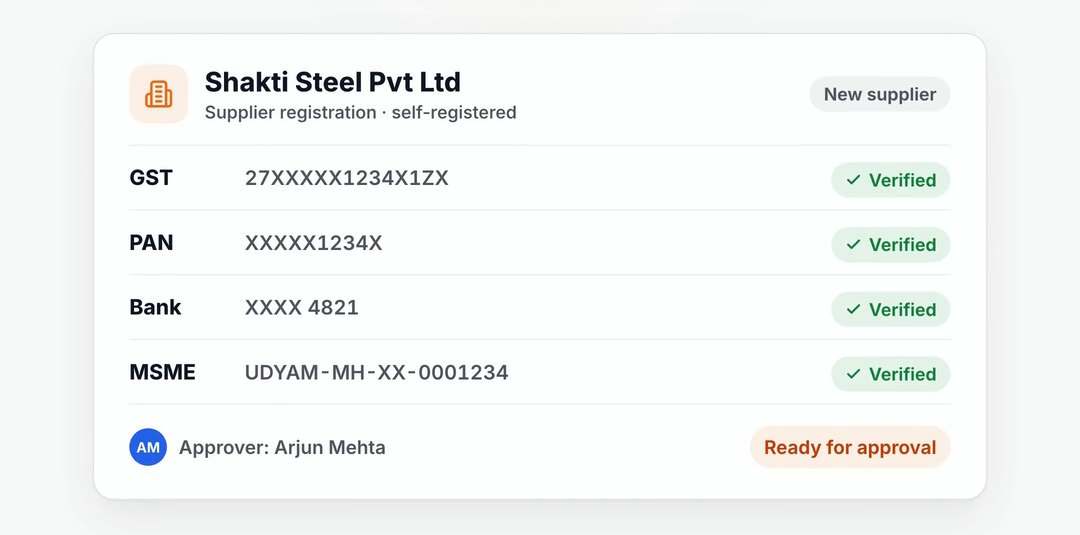 From supplier registration to checking the bill.Explore every SupplierX workflow on one page.See all features
Ask, check & prepare
AeonX iQ assistantThe assistant in-app and on WhatsApp.Gate-Match agentInvoice-to-PO matching at entry, in shadow mode.Accounts payable agentPrepares proposals for your team to review.Follow up & improve
Supplier communicationOutreach, PO follow-up and inbox replies.Service Desk & master dataMaster-data requests handled in SupplierX.NegotiationEvery round recorded for the buyer to review.Your controls
How the Trust Dial worksHow far should each procurement agent go?AI usage & pricingMetered AIU, budgets and caps.By procurement need
Supplier registrationSelf-registration with verification.GST, PAN & bank checksTax, bank and business registration checks.Purchase requests & approvalsFollow requests through your approval rules.Gate entry & truck weighingVehicle, weighing and goods receipt.Order, delivery & invoice checksCompare the order, receipt and invoice.Invoice controls for SAPHold differences before ERP booking.By industry
Mining & mineralsOnboarding to invoice matching.Projects & constructionARCs, site receipts and invoice matching.Retail & textilesPortal RFQs, contract rates and matching.Consumer goodsGate entry to GRN, then the invoice.Paper manufacturingGate readings, receipts and invoice checks.Heavy electricalsQualify suppliers and compare quotations.By team
Procurement teamsSupplier coordination, quotes and approvals.Finance & accounts payableInvoice matching and held differences.Gate & stores teamsVehicle entry, weighing and goods receipt.Business leadersSpend visibility and supplier reporting.SAP & IT teamsERP connections and access controls. “SupplierX helped us automate supplier onboarding and improve efficiency.”Manish Nagda, DGM, Central Purchase Team, Ashapura Minechem LimitedRead the Ashapura story
Buying guides
Supplier portal checklistWhat should suppliers be able to see and submit?Three-way matching explainedWhat should agree before an invoice moves forward?Annual Rate ContractsWhen should a buyer use an agreed rate?Connecting procurement to SAPFive questions for your SAP team.More guidance
From gate entry to GRNWhat belongs on the vehicle record?Vendor onboarding in IndiaWhat should be verified before approval?Watch, estimate & talk
Product videosOfficial SupplierX walkthroughs.Savings calculatorEstimate manual effort and potential savings.Contact the teamSales, support and security contacts.Plan your demoPlan the walkthrough around your ERP. Practical guides, videos and answers before your demo.Browse all guides
Raise and track master-data requests in SupplierX. The Service Desk agent checks data quality and works within the Trust Dial limits your team sets.
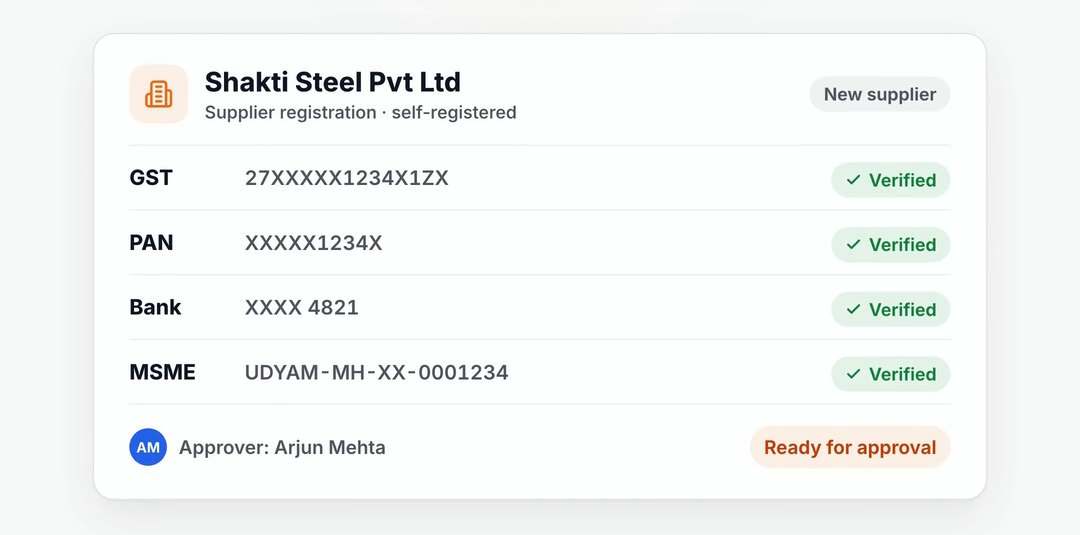 SupplierX workflow example
Master-data requests are raised, tracked and handled in SupplierX. Give the team a shared place to follow the request rather than a separate email chain.
The master-data hub supports entry-time rules and specialist proposals for classification, standardisation and duplicate review. Data stewards review the evidence before changes are made.
The Service Desk agent has its own Trust Dial level. At the lowest level it suggests. A person applies every level change; master-data merges stay with your steward.
A 30-minute walkthrough around your ERP landscape, the documents your team handles and the stage you want to improve first.
Demo data. Your workflow. Clear next steps.
We use cookies to measure how this site is used and, if you allow it, to improve our marketing. Analytics and marketing cookies stay off until you choose. Cookie policy